[.green-span]Best Software for a Loan Broker to Submit to Multiple Lenders[.green-span]
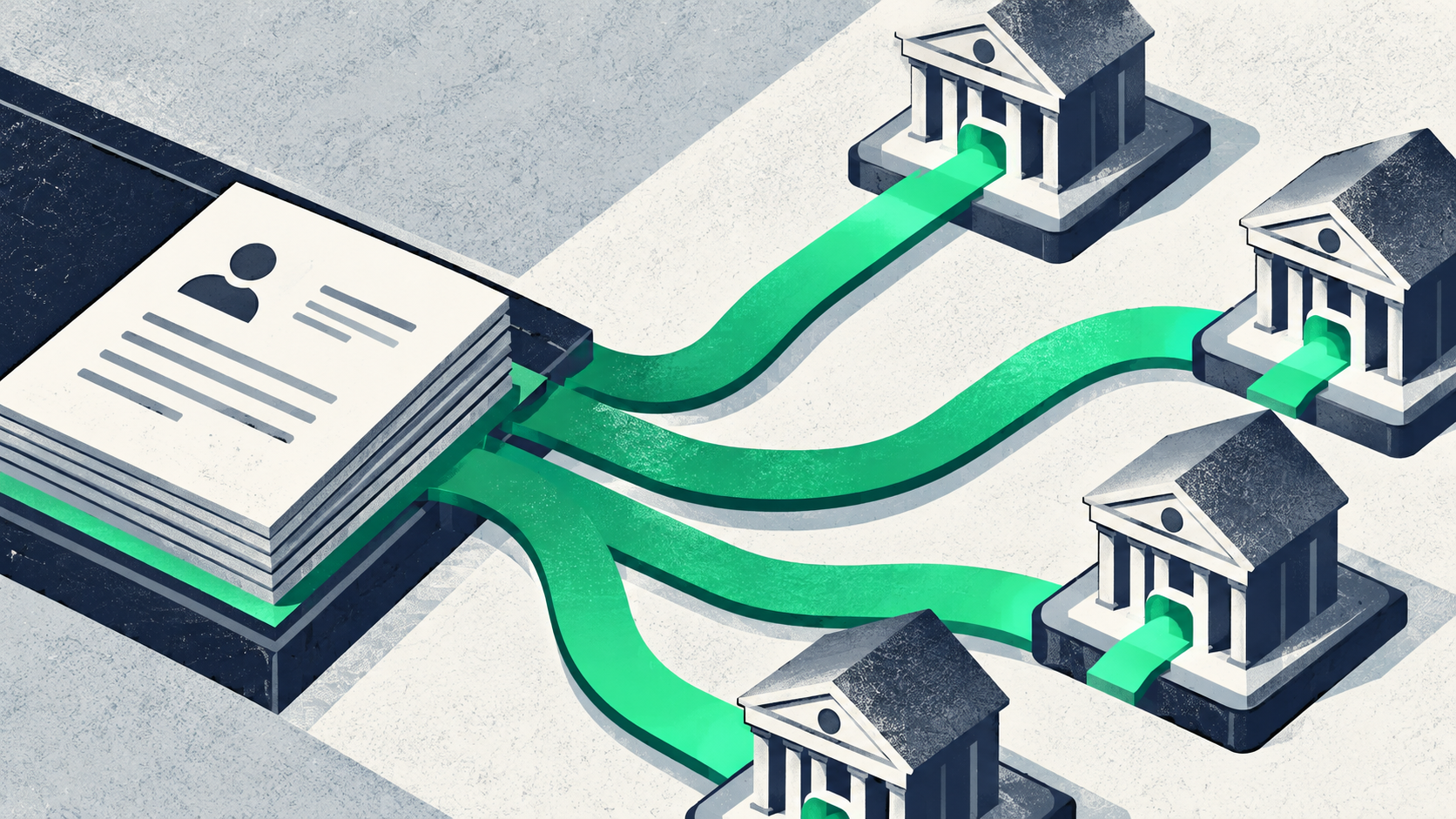
Most loan brokers lose hours typing the same borrower file into one lender portal after another. This guide explains the best software for a loan broker to submit to multiple lenders, broken down by loan type, team size, and budget.
You will learn the five tool types, the leading options for commercial and mortgage brokers, how pricing works, and which stack fits your shop.
What Is the Best Software for a Loan Broker to Submit to Multiple Lenders?
The best software depends on the loans you broker. Commercial and business loan brokers get the most from a multi-lender marketplace, where you submit one application and receive offers from many lenders. Mortgage brokers can pair broker-owned loan origination software, such as ARIVE, LendingPad, or Calyx Point, with the TPO portals that wholesale lenders provide.
Multi-lender submission means sending one complete borrower file to several lenders at the same time instead of entering it into each lender's system by hand. The software routes the file, tracks each lender's response, and shows every offer in one place, which is the core idea behind multi-lender orchestration explained.
Many mortgage tools are built around moving one file to one lender. Commercial brokers face a different job. One small business deal may fit an SBA lender, an equipment lender, and a merchant cash advance provider at once.
Know the Five Tool Types Before You Shop
Brokers often compare tools that do different jobs, which makes reviews hard to read. Before you look at any loan origination system, sort each product into one of the five types below.
Many mortgage platforms combine two or three of these types in one product. A CRM tracks the relationship while an LOS tracks the loan, so most brokers need both. Business loan brokers can compare commercial loan broker CRM options before choosing one.
Why Multi-Lender Submission Matters Now
Small business borrowers are spreading their applications across more channels. The Fed small business credit survey shows online fintech lender use rising "from 17% in the 2020 survey to 29% in the 2025 survey." Those figures measure the share of applicants that sought financing at online fintech lenders.
Approval is also far from certain. The same Federal Reserve survey of small employer firms uses a convenience sample. It found that "Forty-two percent of applicants received the full amount of financing they sought, 36% received some or most, and 22% received none."
Large deals add another reason to shop wide. The BLS loan officers outlook notes that "Some commercial loans are so large and complex that no single bank will provide the entire amount requested."
For brokers, these numbers point to one practical need. Your lending software should reach several lender types quickly, so a borrower who falls short with one lender still has a path to funding.
Best Software for Commercial and Business Loan Brokers
Commercial brokers place term loans, SBA loans, lines of credit, equipment financing, invoice factoring, and merchant cash advances (MCAs). An MCA is an advance repaid from a share of future sales, and an SBA loan is partly guaranteed by the US Small Business Administration.
Each product has its own lender pool, so the right tool is a submit-once marketplace. Look for four features before you sign up:
- Lender matching: The platform suggests lenders that fit the borrower's industry, revenue, credit, and time in business.
- Status dashboard: You see every lender's response, document request, and offer in one view.
- Decline rerouting: Turned-down files move to specialty lenders instead of dying in your inbox.
- Commission tracking: You can see what each funded deal pays you and when.
Lendflow: Submit Once, Reach 75+ Lenders
Lendflow reports on its site that brokers see 35% less time to close deals and 2.4× more competitive offers per deal. Those results come from one broker workflow: submit a file once and receive multiple competing offers from a network of 75+ vetted lenders.
Lendflow for business loan brokers gives brokers one unified dashboard to track every deal across every lender in real time. AI-powered lender matching points each file toward lenders likely to fit, while built-in commission tracking shows what you earn on each funded deal.
Behind that network sits Lendflow's broader infrastructure, a single multi-lender connection that links 75+ lenders to platforms through neutral rails. Lendflow for Brokers gives brokers access to that same lender network.
Supported financing types include:
- Term loans: Lump-sum funding repaid over a fixed schedule.
- SBA loans: Government-backed loans with longer terms and stricter paperwork.
- Lines of credit: Revolving access to funds the borrower draws as needed.
- Equipment financing: Loans or leases secured by the equipment being bought.
- Invoice factoring: Cash advanced against unpaid customer invoices.
- Merchant cash advances: Funding repaid from a share of future card or bank sales.
Turn Declines Into Funded Deals
A decline waterfall is a set of rules that sends a turned-down file to the next best-fit lender automatically. Without one, a single "no" often ends the deal, and the borrower walks away along with your commission.
The second-look marketplace for declines reroutes declined files to specialty lenders that focus on MCA, equipment, and SBA financing. Instead of starting over with a new application, you keep the same file moving toward a lender built for that borrower's profile.
Best Software for Mortgage Brokers
A PennyMac SEC filing covers the broker channel about one-fifth figure: "the broker lending channel represented approximately one-fifth of U.S. residential mortgage originations in 2025." PennyMac attributes the number to Inside Mortgage Finance, so treat it as an industry estimate.
Mortgage broker software falls into two groups. Broker-owned LOS platforms hold your files and connect to many lenders, while lender TPO portals are the doors into each wholesale lender's own system.
Broker-Owned LOS: ARIVE, LendingPad, Calyx Point, BytePro
A broker-owned LOS keeps your loan data in your account, no matter which lender funds the loan. That ownership matters when you add or drop wholesale partners, since your pipeline history stays with you.
The table below summarizes how each vendor describes its product. A product and pricing engine (PPE) compares loan programs and rates across lenders. ARIVE's full seats are for NMLS-licensed loan officers, according to the ARIVE pricing page.
Check each vendor's official page for current details. ARIVE describes its all-in-one platform on the ARIVE website. LendingPad describes its cloud-based loan origination system for mortgage lenders and brokers on the LendingPad website.
Calyx lists its integrations on the Calyx Point product page. Calyx ZIP, its borrower-facing point-of-sale add-on with e-sign, is covered on the Calyx ZIP product page. Byte describes its deployment options on the Byte Software website.
Lender TPO Portals: Encompass TPO Connect, MeridianLink
With a TPO portal, the wholesale lender configures and controls the workflow. That applies to Encompass TPO Connect. It also applies to the TPO portal in MeridianLink mortgage software.
Because each lender sets up its own portal, screens, required fields, and conditions can differ from lender to lender.
Brokers use these portals alongside their own LOS. The usual flow is to build the file in your LOS, then export or submit it into each lender's portal for underwriting.
The cost of this setup shows up as time. Every new wholesale partner adds another login, another set of rules, and another place to check status.
Can You Submit a Loan to Multiple Lenders?
Yes, and it is standard broker practice. Shopping one borrower across several lenders is how brokers find the best rate and terms. Always get the borrower's consent before sharing their file.
CFPB 45-day shopping window explains: "Within a 45-day window, multiple credit checks from mortgage lenders are recorded on your credit report as a single inquiry." The CFPB's inquiry window guidance says inquiries "within 14 to 45 days of each other for the same type of loan" count as one.
That window applies to consumer mortgage shopping and depends on the scoring model. It is general consumer information from the CFPB, not legal advice, and it does not cover commercial credit pulls.
Business borrowers can also apply in more than one place. Using 2023 Annual Business Survey data, the Census business credit data notes that "an employer business may apply to more than one source of new credit." For business deals, ask each lender whether it runs a soft or hard credit pull before you submit.
How Broker Software Is Priced
Pricing varies widely, and the sticker price rarely shows the full cost. Most broker tools use one of four models:
- Per seat: You pay a monthly fee for each user, which suits small teams with steady volume.
- Per loan: You pay for each file or each closed loan, which scales with your pipeline.
- Per application or signature: Some POS add-ons charge for each borrower action, so ask vendors how borrower-facing tools are billed.
- Enterprise contract: You negotiate an annual deal with custom terms, setup fees, and minimums.
Hidden costs often add up faster than the base fee. Ask every vendor about these before you sign:
- Integration fees: Charges for connecting credit, pricing, document, or CRM tools.
- Per-application POS fees: Usage charges that rise as your borrower volume grows.
- Data migration: The cost and effort to move existing files into the new system.
- Exit terms: Whether you can export all your data in a usable format if you leave.
Multi-lender marketplaces may price differently from an LOS. Ask how the platform earns revenue and how it reports the commission owed to you on each funded deal.
Five Questions to Ask Before You Choose
A demo shows you the best version of any product. These five questions help you test whether the tool fits your real daily workflow.
How Many Lenders Can I Reach, and Which Types?
Count the lenders, then check the mix of term, SBA, equipment, MCA, and specialty capital. Variety in credit appetite often matters as much as the raw count, which is the case for building a deeper lender network.
Does It Connect to My CRM?
Your CRM holds leads and referral partners, while your submission tool holds deals. If the two do not sync, you will copy data between them, and that manual step is the work you are trying to remove.
Can I Export My Data If I Leave?
Data portability means you can take your borrower files, documents, and deal history with you. Ask for the export format in writing. With a TPO portal, the lender controls the portal and its data setup, so your own LOS should hold the master copy.
What Does the Borrower See?
Borrowers judge you by the application experience. Look for a branded borrower checkout platform with document uploads, e-signatures, and side-by-side offer comparisons under your brand.
What Will I Pay at Twice My Current Volume?
Ask the vendor to price your plan at today's volume and at double it. Per-application and per-seat fees can grow faster than revenue, so the cheapest tool today may cost the most next year.
Recommended Stack by Broker Type
No single product covers every broker. Use this table as a starting point, then test the shortlist against the five questions above.
FAQ
What Software Do Brokers Use?
Mortgage brokers can pair a broker-owned LOS, such as ARIVE, LendingPad, Calyx Point, or BytePro, with lender TPO portals. Commercial brokers can pair a multi-lender marketplace with a CRM to submit business loans to many lenders at once.
What Is the Difference Between an LOS and a CRM?
An LOS manages the loan file from application through closing, while a CRM manages leads, contacts, and follow-ups before and after the deal.
What Is the Difference Between a Broker-Owned LOS and a TPO Portal?
A broker-owned LOS stores your files and works with many lenders, while a TPO portal belongs to one lender and submits only to it.
How Much Does Loan Origination Software Cost?
Costs depend on the pricing model, which may be per seat, per loan, per application, or an enterprise contract. Always ask for a quote at your current volume and at double that volume, including integration and POS fees.
What Features Should a Broker LOS Have?
A strong broker LOS should include a borrower-facing POS, lender connections or a pricing engine, document management, CRM integration, and full data export.
Submit Once and Compare Offers With Lendflow
Skip the re-keying and send each business loan file to 75+ vetted lenders from one dashboard. Book a demo with Lendflow to see how submit-once lending works for your brokerage.