[.green-span]Lendflow MCP Is Now Available on ChatGPT, Claude and Grok[.green-span]
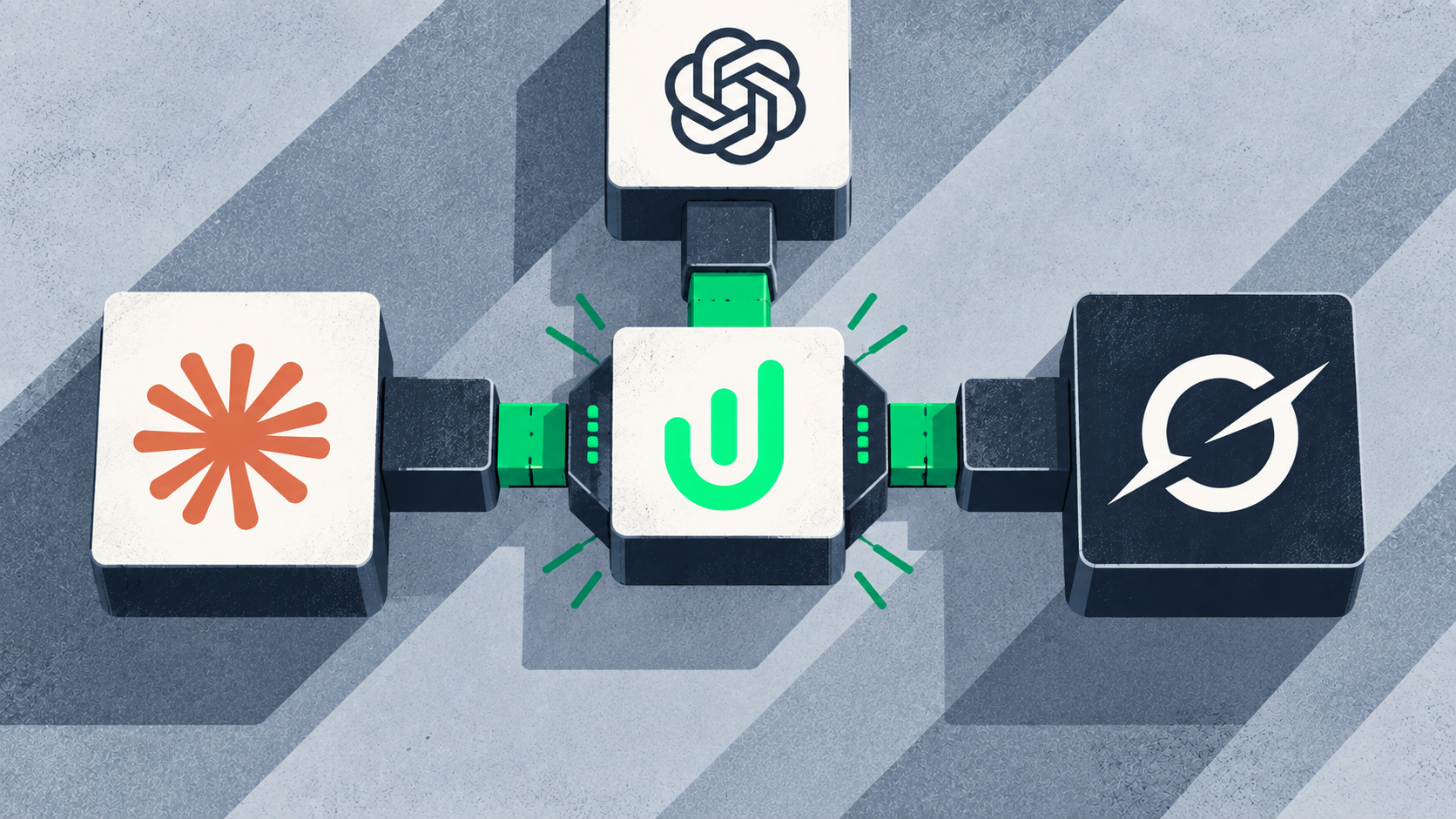
Now, we’re expanding that vision. Lendflow is available as a plugin in ChatGPT and can be added as a custom connector in Claude and Grok, giving current and future Lendflow users more flexibility to connect the AI tools they already use with the data and workflows that power their lending operations.
These connections go beyond simply retrieving information. Users can also take supported actions in Lendflow, including creating applications, adding notes, and uploading documents directly through their AI workflows.
Connect Lendflow to ChatGPT, Claude, and Grok
The Model Context Protocol, or MCP, provides a standardized way for AI applications to connect with external systems and data. Lendflow’s MCP server provides that bridge between supported AI assistants and a user's Lendflow environment.
Lendflow can now be accessed through the Lendflow plugin in ChatGPT or configured as a custom connector in Claude and Grok. This gives organizations more flexibility to use the AI platform that best fits their teams while connecting back to the same underlying Lendflow infrastructure.
Once connected and appropriately authenticated, users can interact with Lendflow conversationally. For example, they can ask:
- “Show me my latest applications.”
- “Which applications received new offers this week?”
- “What offers are currently pending?”
- “Summarize the outstanding items for this application.”
- “Show me all active funders.”
But retrieving information is only part of what these connections can enable. Users can also perform supported actions such as:
- Creating a new application
- Adding notes to an application
- Uploading documents
This makes the AI assistant more than another place to search for information. It can become an interface for completing work in Lendflow.
What This Looks Like in Practice
Consider a lending team working through a new opportunity. Instead of moving back and forth between an AI assistant and their lending platform, a user could begin by asking ChatGPT, Claude, or Grok to find the relevant application and summarize its current status.
If a new opportunity needs to be entered, the user can create an application. If additional context comes from a conversation with a borrower or partner, a note can be added to the appropriate application. When a required document becomes available, it can be uploaded as part of the workflow.
The exact actions available depend on the user's configuration and permissions, but the broader idea is straightforward: AI can help teams both understand what is happening in Lendflow and take action on that information.
How to Get Started
Because Lendflow hosts the MCP server, customers do not need to build or host their own MCP infrastructure. Getting connected takes just a few steps depending on which AI platform you use.
- ChatGPT: Open Plugins in ChatGPT, search for Lendflow, select the Lendflow plugin, and follow the prompts to connect your Lendflow account.
- Claude: Navigate to Connectors, add Lendflow as a custom connector using the Lendflow remote MCP server URL, authenticate your account, and enable the connector for your conversations.
- Grok: Navigate to Connectors, create a new custom connector, enter the Lendflow MCP server information, and complete authentication to make supported Lendflow tools available in Grok.
Once connected, users can begin asking questions and performing supported actions based on the permissions associated with their Lendflow account.
Contact the Lendflow team if you need help getting connected or configuring access for your team.
What This Means for Current Lendflow Users
For current customers, these connections create more flexibility in how teams interact with Lendflow.
Not every task has to begin by navigating through a traditional software interface. A team member looking for an application update can ask for it. Someone who needs to record information can add a note. A user starting a new deal can create an application.
These individual tasks may only take a few minutes when completed manually, but they add up across teams managing large application volumes. By connecting Lendflow to ChatGPT, Claude, or Grok, organizations can bring lending operations closer to the AI environments their teams are increasingly using throughout the day.
Why Supporting Multiple AI Platforms Matters
There is no single AI assistant that every lending organization will use. Some teams may build their workflows around ChatGPT, while others prefer Claude, Grok, or a combination of AI platforms.
Lendflow’s approach is designed around that reality. Rather than requiring organizations to use a single AI interface, Lendflow MCP creates a standardized connection between AI assistants and the underlying lending infrastructure.
The AI interface can change while the applications, offers, documents, lender relationships, and operational data behind it remain connected through Lendflow.
From Finding Information to Taking Action
The ability to retrieve lending data conversationally is useful on its own. The larger opportunity, however, comes from enabling AI assistants to help users complete work.
A user could start with a simple question such as, “Which applications need my attention?” From there, the assistant can help surface relevant applications and information. As the user works through those opportunities, supported actions such as creating applications, adding notes, and uploading documents can help move the workflow forward without constantly switching between interfaces.
Over time, this model can reduce the distance between identifying what needs to happen and actually doing it. It also supports Lendflow’s broader vision for more intelligent lending operations, where AI, automation, data, decisioning, and distribution work together rather than existing as separate systems.
Building Lending Infrastructure for an AI-First Future
AI is changing how people interact with software. Dashboards and traditional interfaces will continue to play an important role, but conversational interfaces are creating another way for users to access data and complete tasks.
For lending organizations, the infrastructure behind those conversations matters. AI assistants need secure, structured connections to applications, offers, workflows, documents, lender information, and other operational data before they can become useful for day-to-day lending work.
Lendflow MCP provides that connection. With Lendflow now available through ChatGPT and configurable as a custom connector in Claude and Grok, organizations have more freedom to choose how their teams interact with their lending infrastructure while keeping Lendflow at the center of those workflows.
Frequently Asked Questions
What is Lendflow MCP?
Lendflow MCP is Lendflow’s hosted Model Context Protocol server. It enables supported AI platforms to connect with a Lendflow environment so users can interact with lending data and supported workflows using natural language.
Which AI platforms can I connect to Lendflow?
Lendflow is available as a plugin in ChatGPT and can be configured as a custom connector in Claude and Grok, giving organizations flexibility in which AI interfaces they use to interact with Lendflow.
What can I do through Lendflow MCP?
Users can retrieve supported information about applications, funders, offers, statuses, and other data within their Lendflow environment. Users can also take supported actions, including creating applications, adding notes, and uploading documents.
Can Lendflow MCP make changes to my Lendflow environment?
Yes. In addition to retrieving information, supported workflows can perform actions such as creating applications, adding notes, and uploading documents. Available capabilities depend on the user's permissions and configuration.
Why is Lendflow supporting multiple AI platforms?
Different organizations and teams prefer different AI tools. By making Lendflow available through ChatGPT, Claude, and Grok, teams can interact with their lending infrastructure without having to standardize on a single AI interface.
Want to connect your Lendflow environment to ChatGPT, Claude, or Grok? Contact our team at partners@lendflow.com to learn more about Lendflow MCP and get started.