[.green-span]Customize Document Requirements with Dynamic Docs[.green-span]
Collecting the right documents is a critical part of any lending workflow, but configuring those requirements shouldn’t slow your team down. That’s why we’re introducing Dynamic Documents, a new Lendflow feature designed to make it faster and easier to standardize the documents required for every deal.
Less setup, fewer clicks
Previously, when a deal required multiple related documents like bank statements over previous months, users had to update the document types every month. Dynamic Documents let you group a specific set of documents into a single requirement, reducing both the number of clicks and the amount of setup required.
A common example is bank statements. Rather than configuring each monthly statement separately, you can create a Dynamic Document that represents the entire period you need.
Dynamic Documents are available for:
- Bank Statements: Last 3, 6, or 12 months, with the option to include the current month
- Driver’s License: Front and back
- More document types coming soon
The result is a simpler workflow for your team and a clearer set of requirements for every deal.
Creating a Dynamic Document
Getting started is straightforward. Navigate to the Builder tab, then to Documents in Lendflow and create a new document. You’ll now see an option to create a Dynamic Document.
Select the document type and configuration you need, for example, the last six months of bank statements, and Lendflow will group those documents together. Instead of repeatedly setting up the same individual requirements, your team can configure the group once and use it where needed.
Automatically add documents with Workflow Builder
We’re also making it easier to standardize document requirements across your workflows.
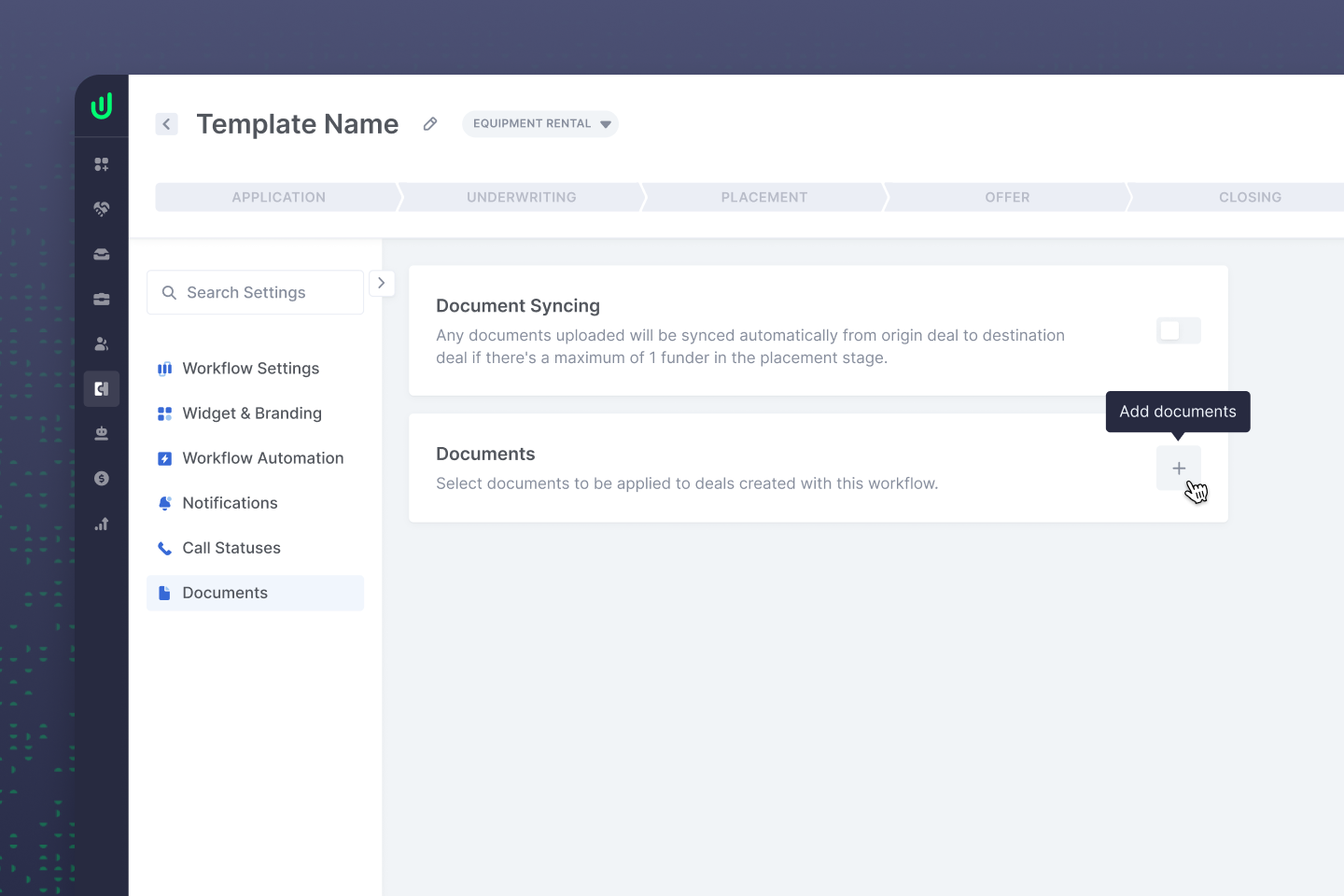
In Workflow Builder settings, you’ll find a new Documents tab. From here, you can add required documents directly to a Workflow Builder template. Once configured, any new deal created from that template will automatically have those documents added as requirements.
This means your team can define document requirements at the workflow level instead of configuring them deal by deal. If a particular lending program always requires six months of bank statements and the front and back of a driver’s license, those requirements can be built directly into its template.
Build once, use every time
Together, Dynamic Documents and template-level document requirements help remove repetitive setup from the deal creation process. Teams can spend less time clicking through configuration, maintain more consistent document requirements, and make sure new deals start with the right requirements already in place.
Head to the Documents tab to create your first Dynamic Document, or open your Workflow Builder settings to start adding document requirements to your templates today.


.png)

.png)